Sonatype
Website Redesign
I was the single UX Designer on the team tasked with the redesign of some of the pages on the my.sonatype website along with other internal pages that were client facing for those with accounts. My main role was to make it more user friendly, accessible, and streamline the work flow and path for the user.
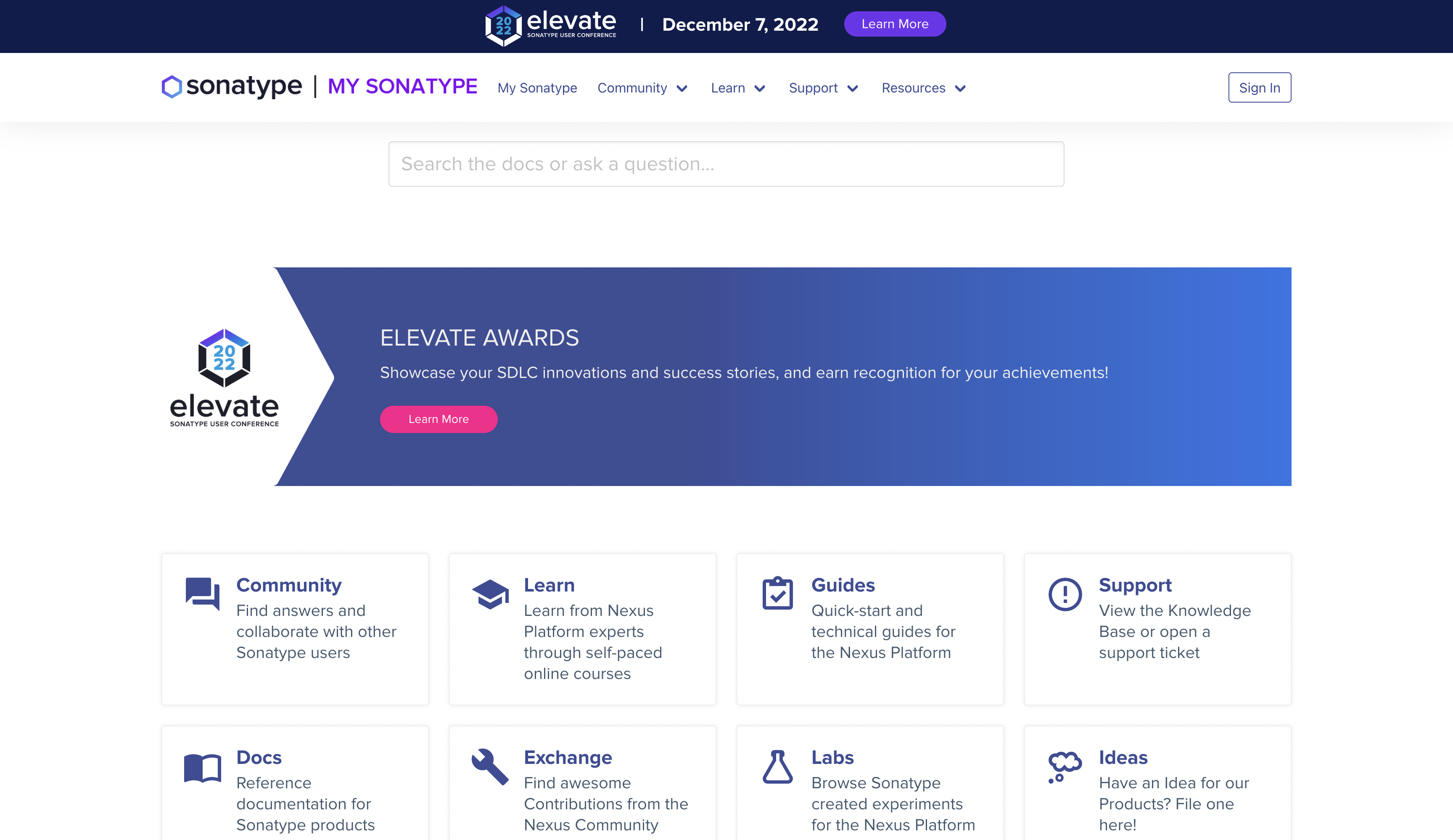
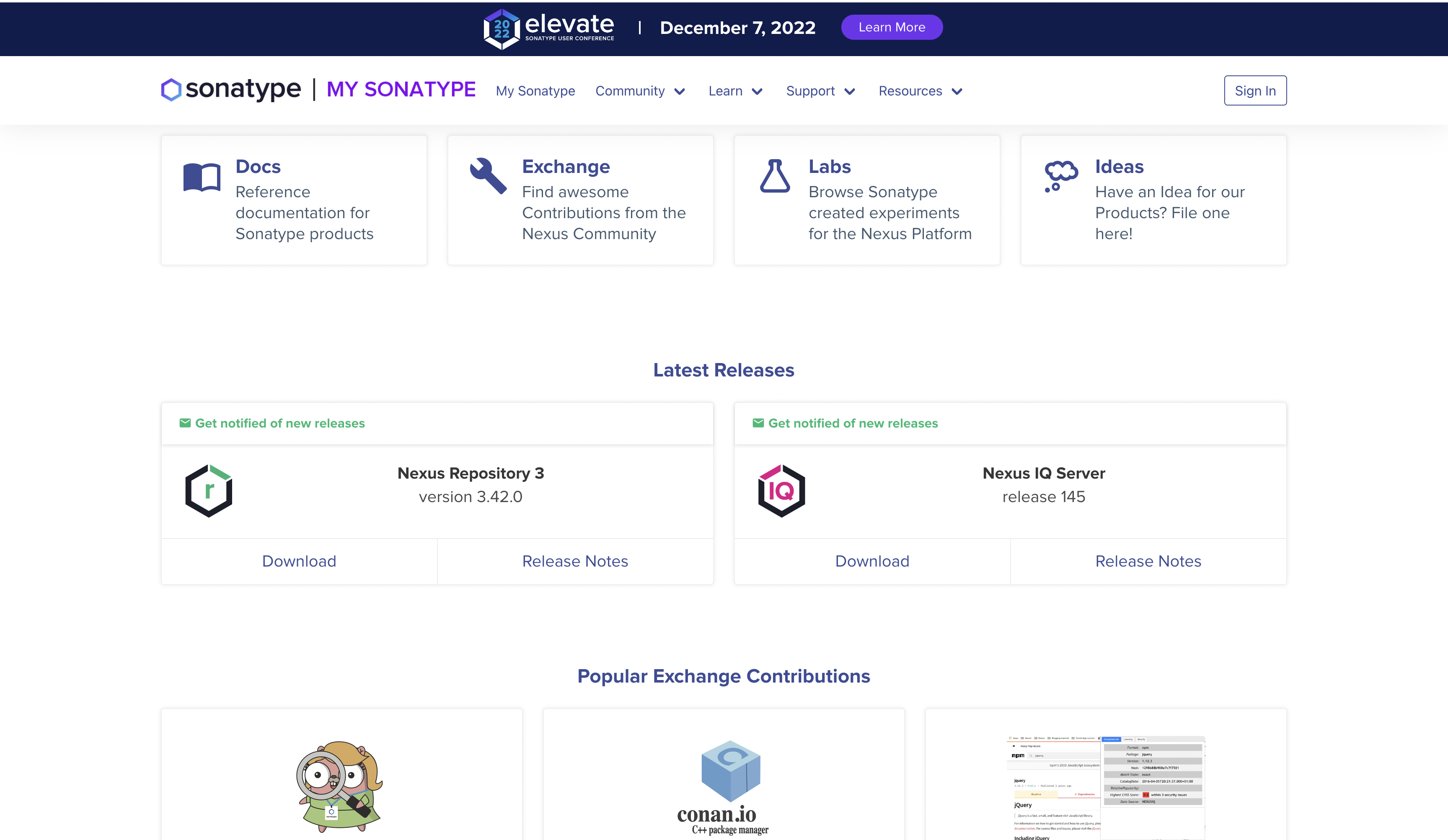
The Old Homepage
I began the redesign process by conducting a card sorting exercise where I received information that helped re-order the pages on the top navigation for the whole site. This also provided clarity on what information to promote closer to the top fold of the homepage, because of the conversations that ensued which showed the pages users were access the most based on analytics.
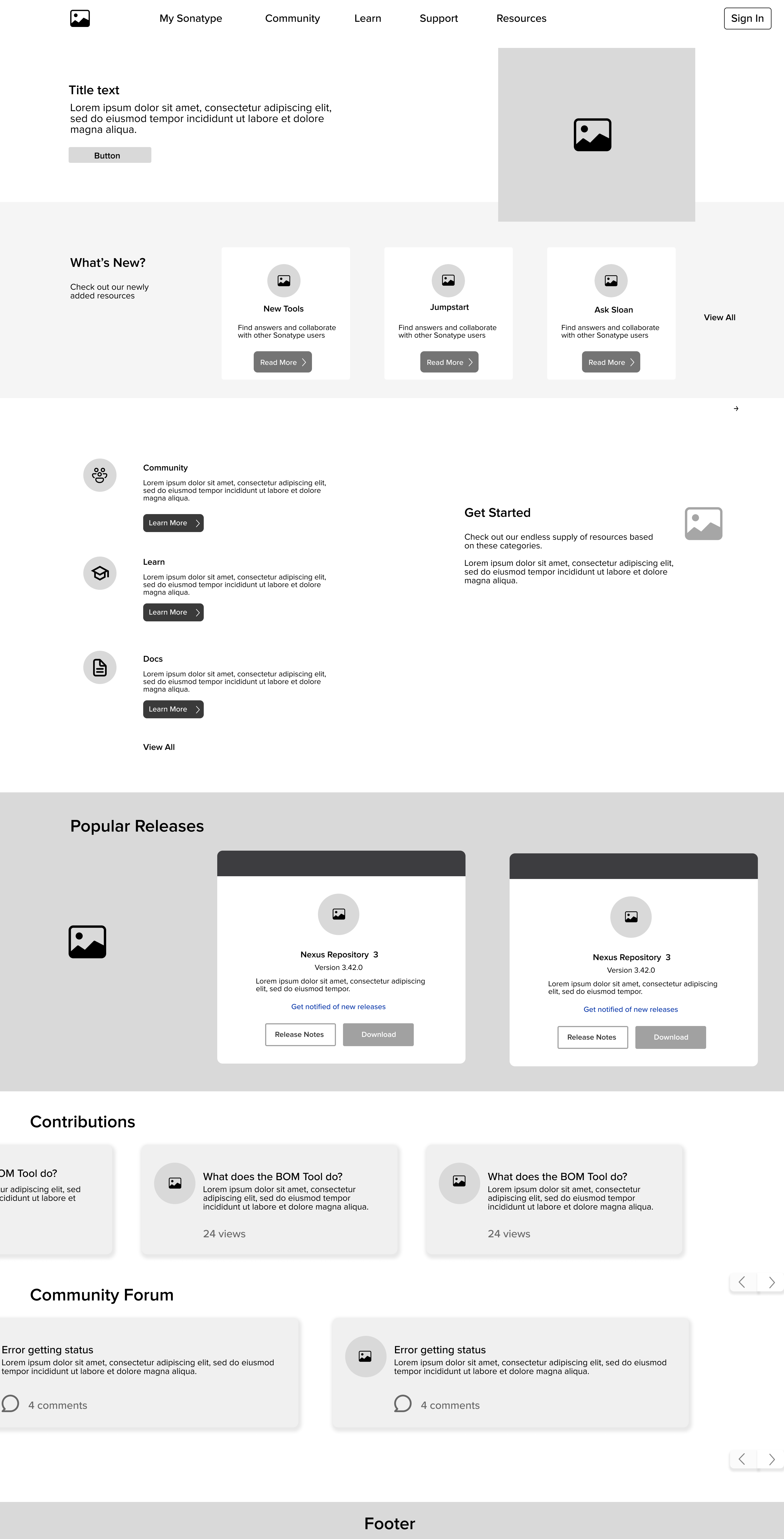
High-Fidelity Wireframes
After receiving the feedback from my managers and the product design team, I created the high-fidelity wireframe from a combination of the previous low fidelity wireframes. I then sent the wireframes and requirements over to the front-end developers.
You can view the site by clicking the button below.
Learn Page Redesign
It began with wireframes...
First Iteration of the Learn Page
.png)
Second Iteration of the Learn Page
.png)
Search Results
Filter Results by Product & Role
Begin by interacting with this section of the Learn Page. An individual can only do by role or by product. Once a product or role is selected, it takes the user to the next screen. (Note: both dropdowns are open for viewing purposes)
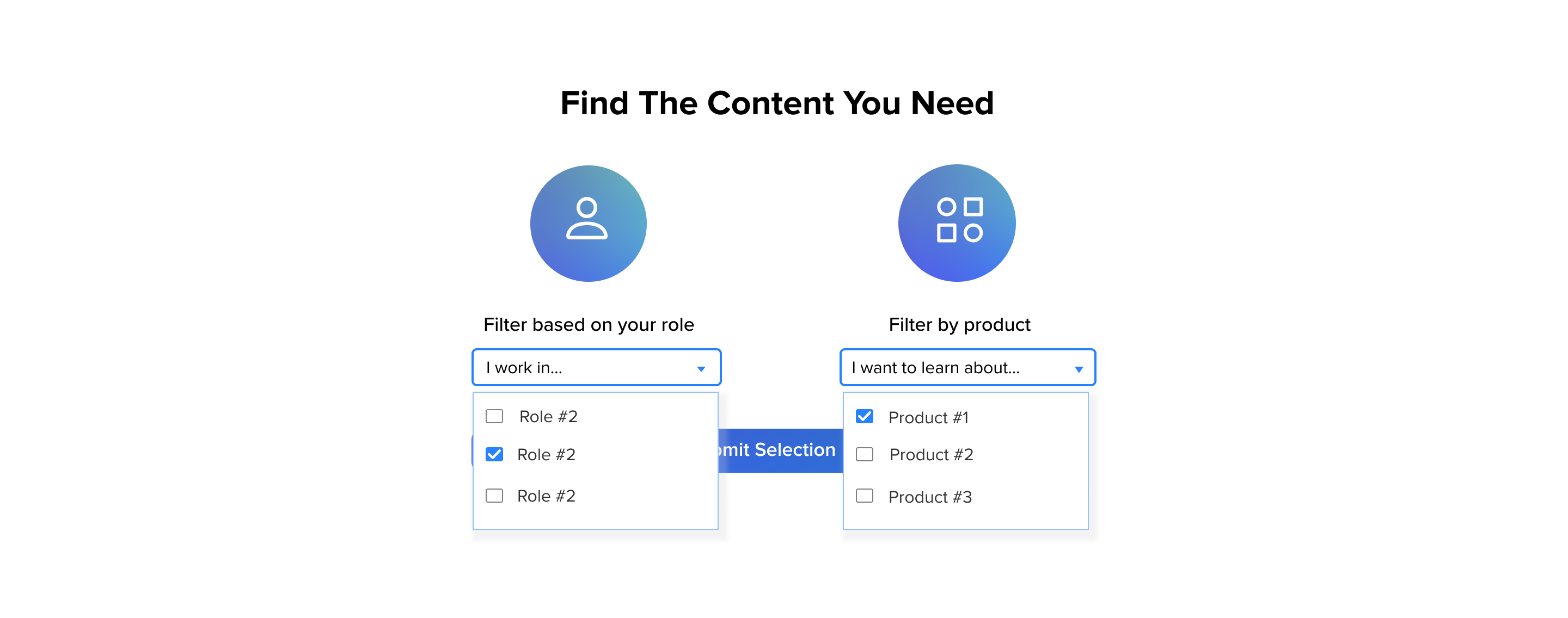
This screens appears after the user has selected a product in the dropdown menu and clicked the submit button. Their selection takes them to the page for the product they selected with learning materials under Courses, and Video categories.
.png)
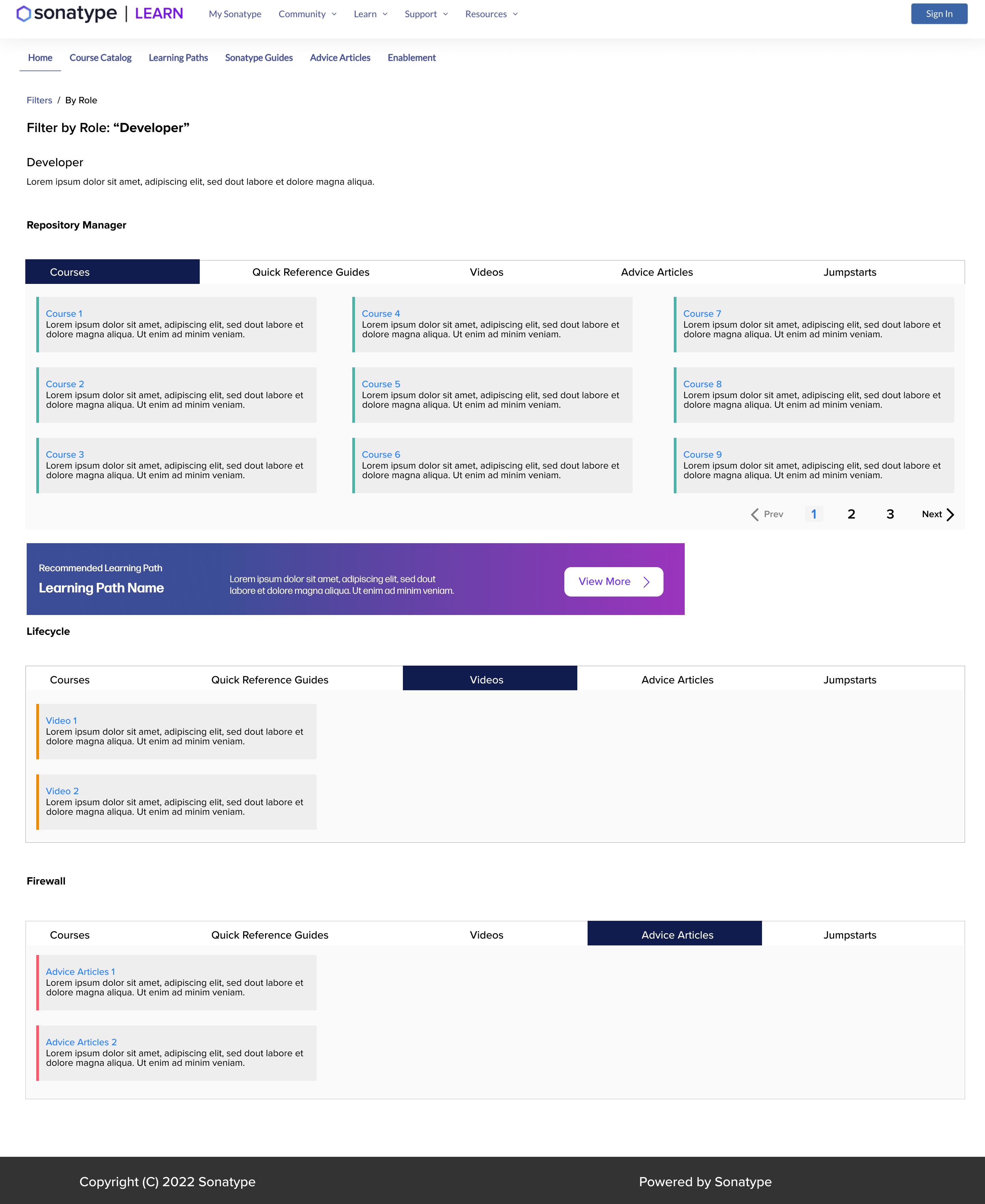
This screens appears after the user has selected a role in the dropdown menu on the previous page. They now see learning resources based on the specific role they selected.
Filter Results by Side Filter for Product & Role
Based on feedback from the customer education team, filters were placed on the page for the different products as well as roles associated with the products. So the user doesn't have to go back.
.png)
This screen is for the role page, which also received filters for both product and roles. Product filter was included for products that are related to the role that the database can call.
.png)
Mobile Versions
Mobile Version for Role. Typo on Breadcrumb. Breadcrumb should read Filters/ By Role
Need some help on a project?
You can email me at victory.fejokwu@gmail.com
 Contact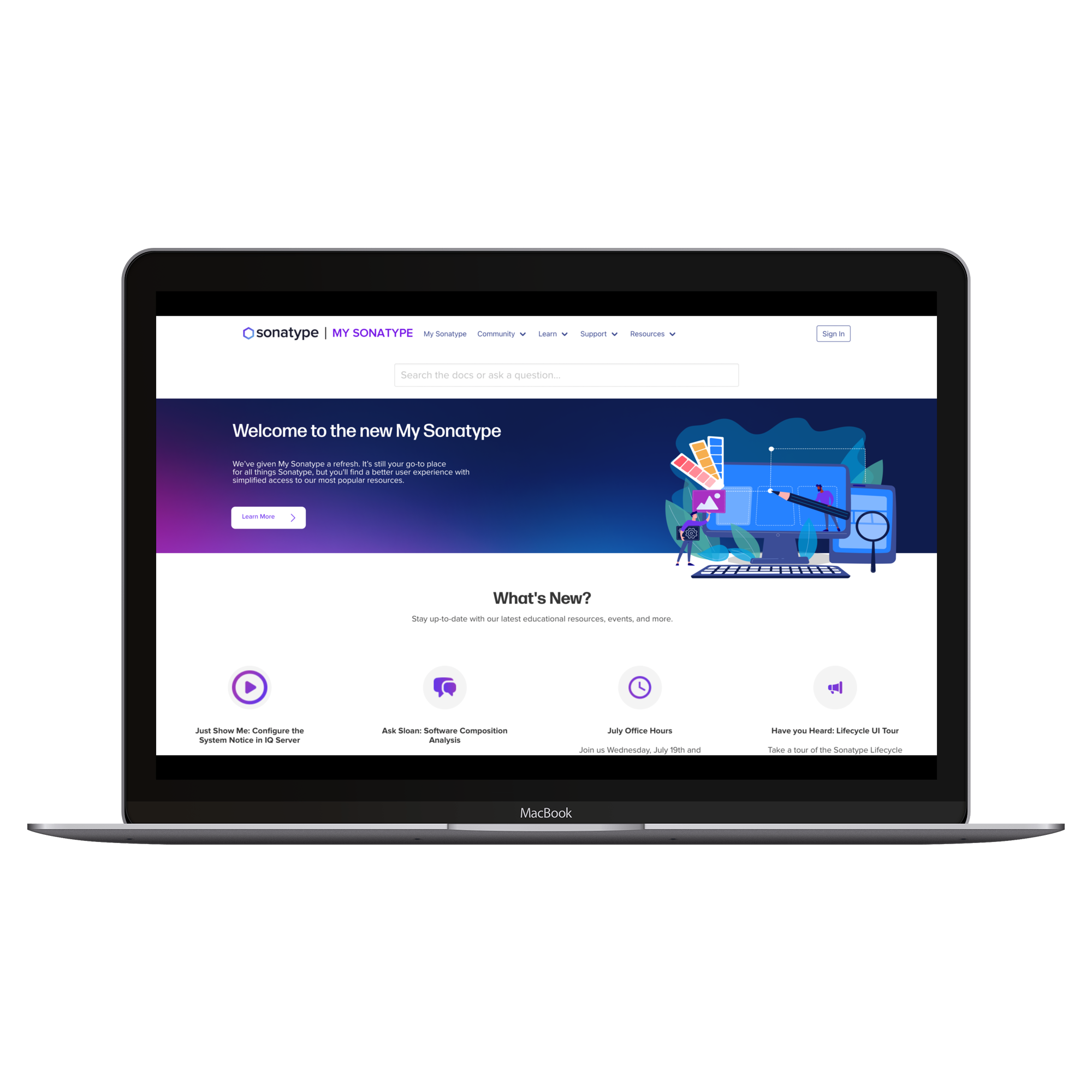



.png)
.png)

.png)